Plugin Repo
AI Developed
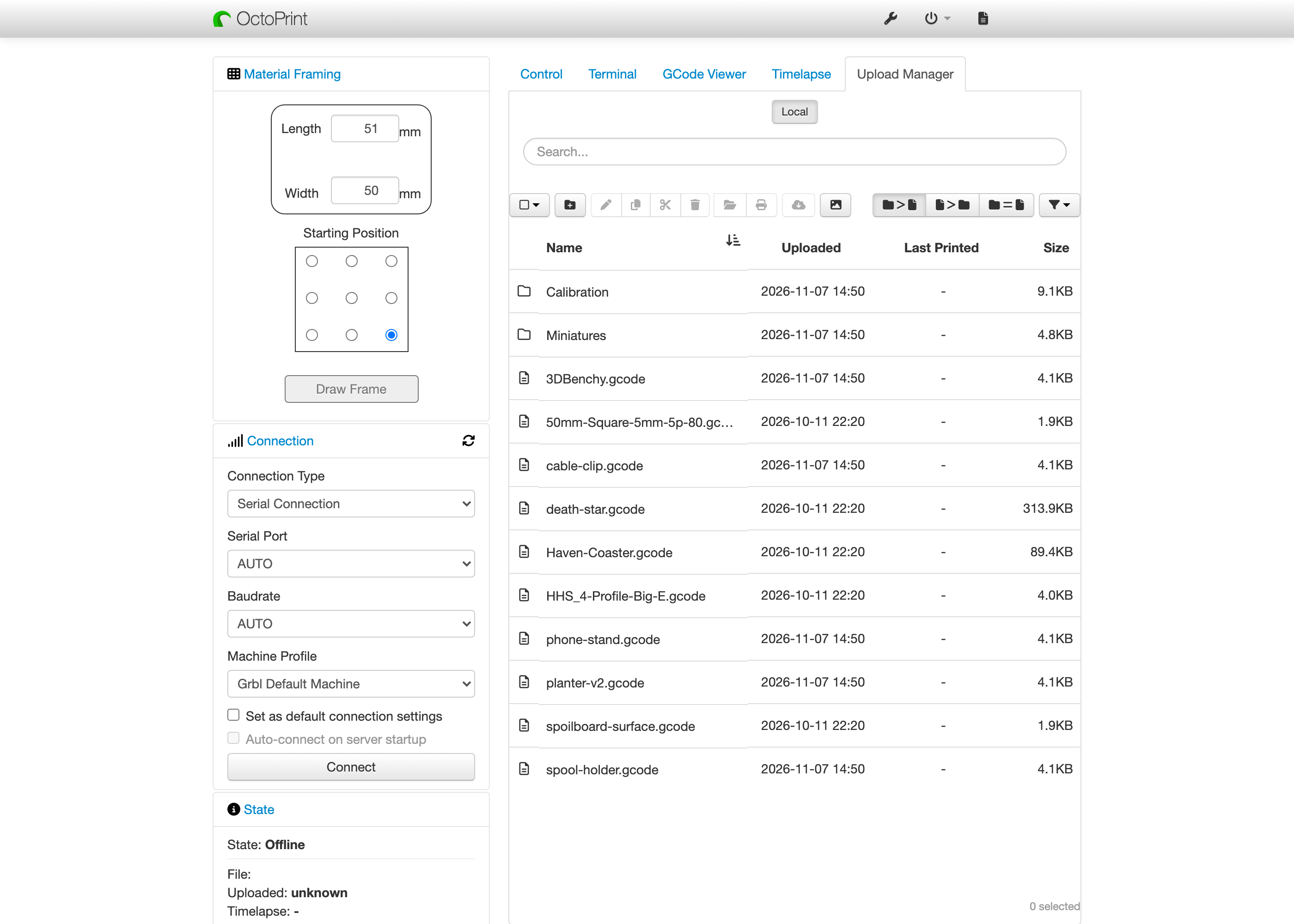
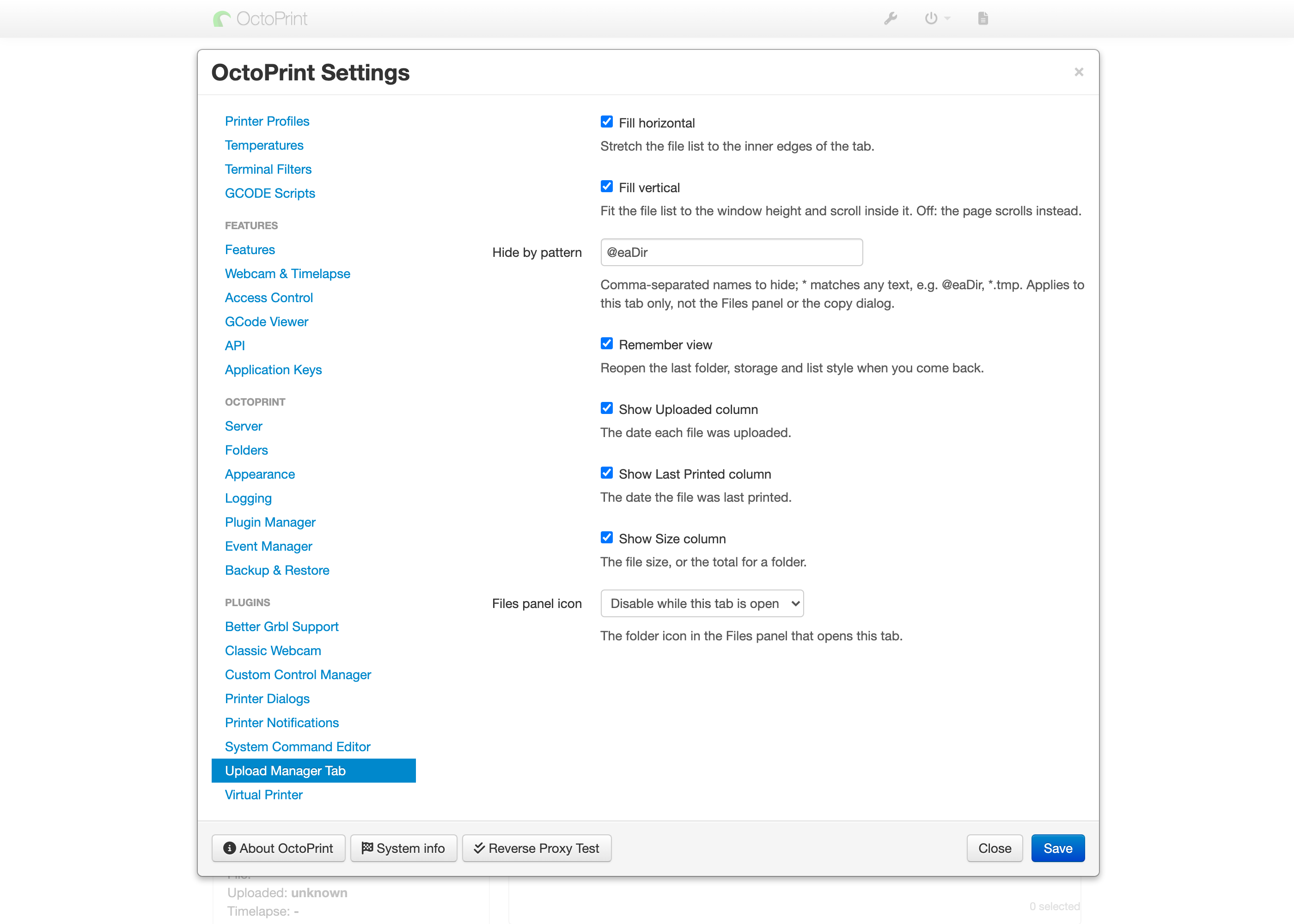
Shows OctoPrint's bundled Upload Manager in its own tab instead of a pop-up, with layout, column and hidden file settings
OctoPrint’s bundled Upload Manager opens as a pop-up over the page. This plugin moves that same window into its own Upload Manager tab, so your print files stay one click away. It adds no new file features: printing, moving and removing files all work the way OctoPrint already does them.
What it does
- Shows the bundled Upload Manager in a tab, with nothing covering the page
- Stretches the file list to fill the tab across, down, or both
- Hides names you never want to see, such as
@eaDiron a NAS share, using simple patterns - Reopens your last folder and list style when you come back
- Shows or hides the Uploaded, Last Printed and Size columns
- Grays or hides the Files panel’s folder icon
Find the settings under Settings > Upload Manager Tab.
Requirements
OctoPrint 1.11.0 or newer with the bundled Upload Manager plugin enabled. Tested on OctoPrint 1.11.8 and 2.0.0rc5.
Pictures